
Met a great candidate at a career fair, got a referral from a coworker, or just have someone in mind for a role but don't have a resume to upload? No problem. You can add an applicant to any job manually, without a resume, and without applying as that person yourself.
NOTE: If you have their resume and are on our Pro Plan, please consider using the Resume Uploader
Option 1: Add an applicant from your Dashboard
This is the quickest route if you're already looking at your list of open jobs.
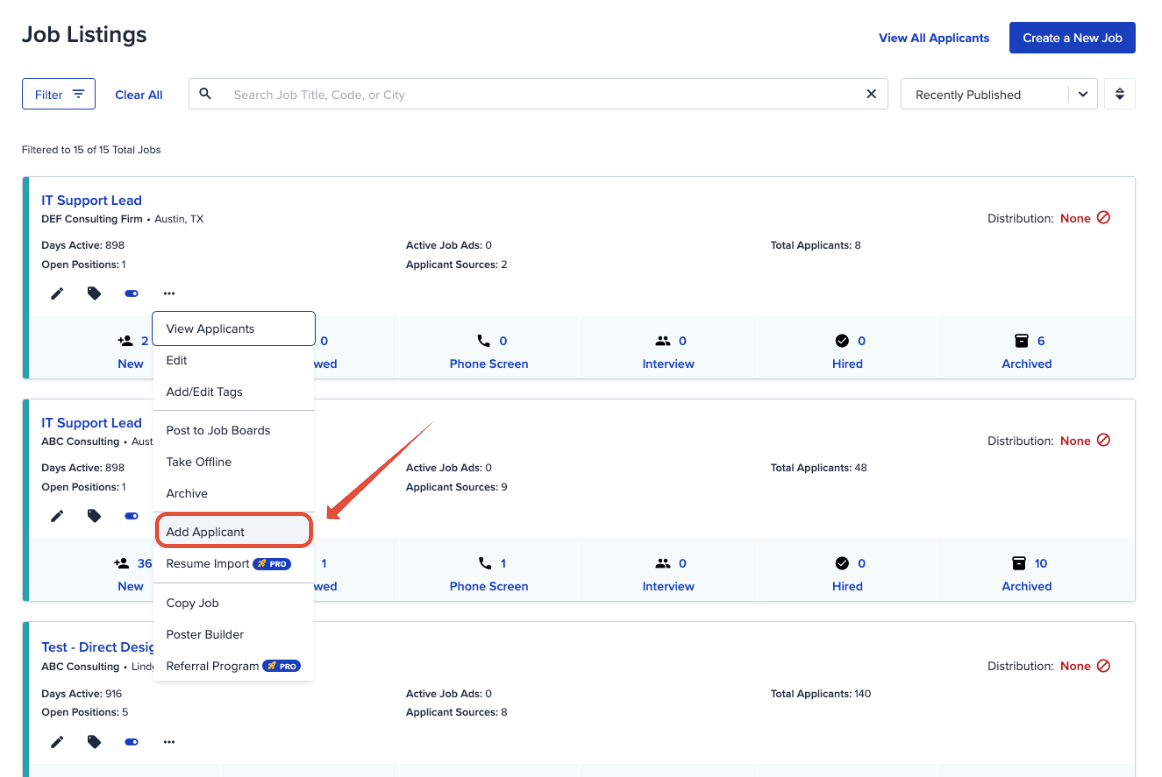
- From your Dashboard, find the job you want to add the applicant to and click the dropdown arrow next to it.
- Select Add Applicant.
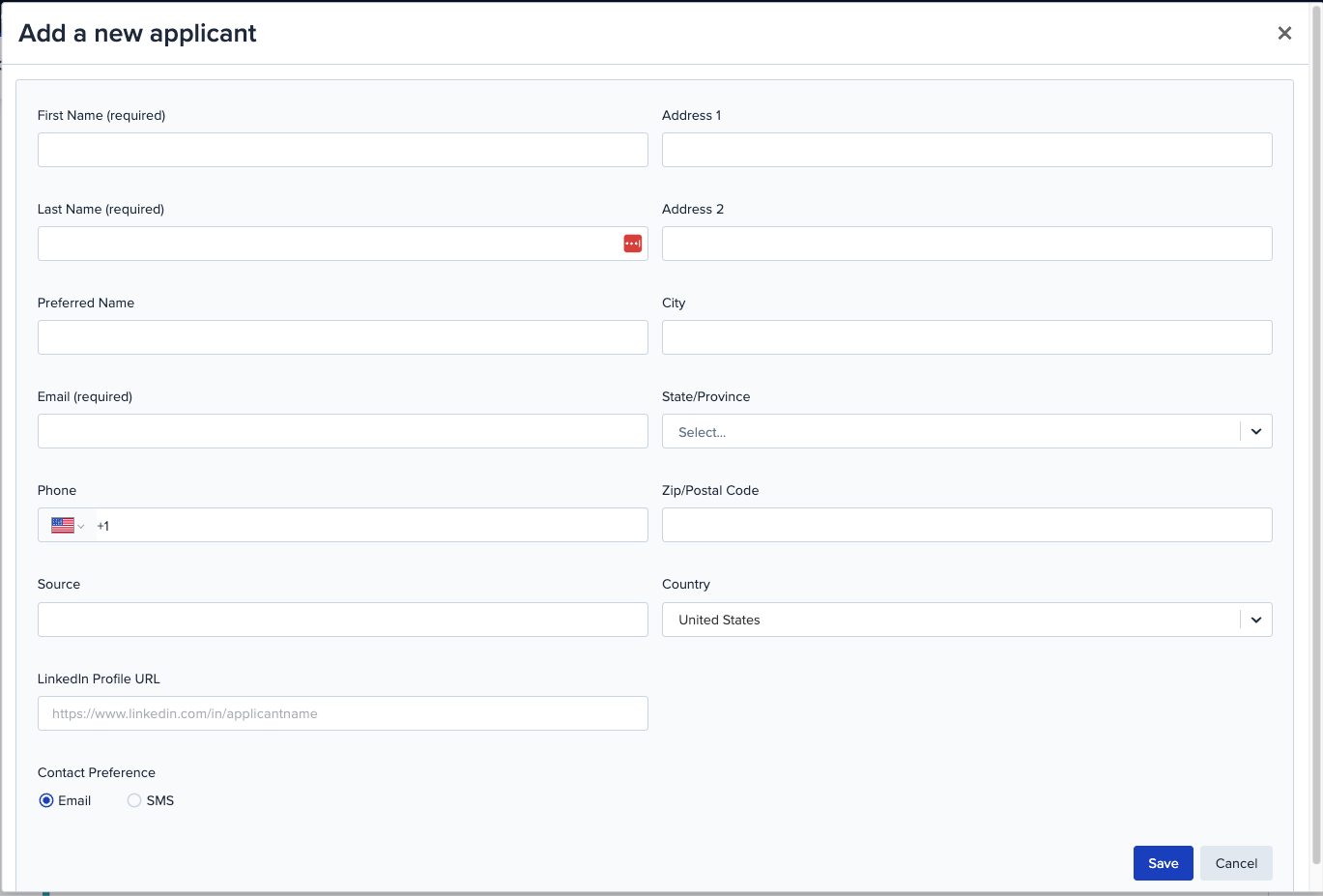
- On the Add a New Applicant window, fill in the applicant's information.
- Choose their Contact Preference.
- Click Save.
Option 2: Add an applicant from the job page
Prefer to work from inside the job itself? Same result, slightly different path.
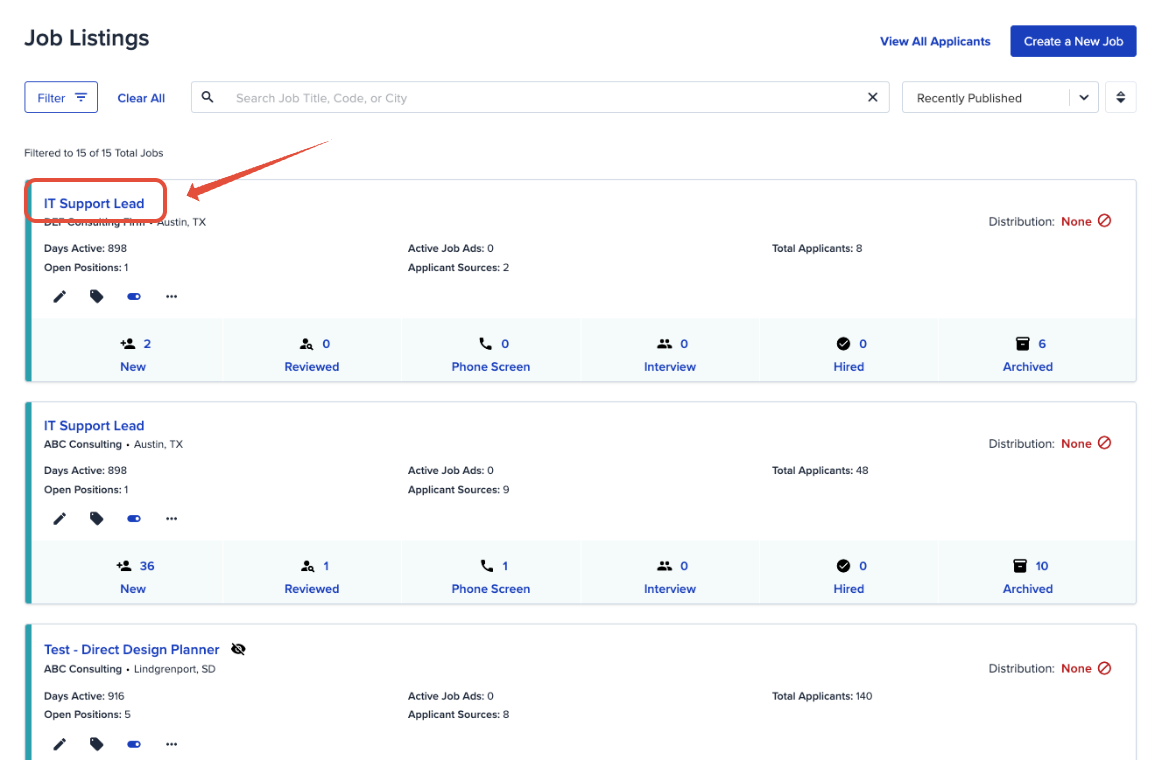
- Click the job title to open it.
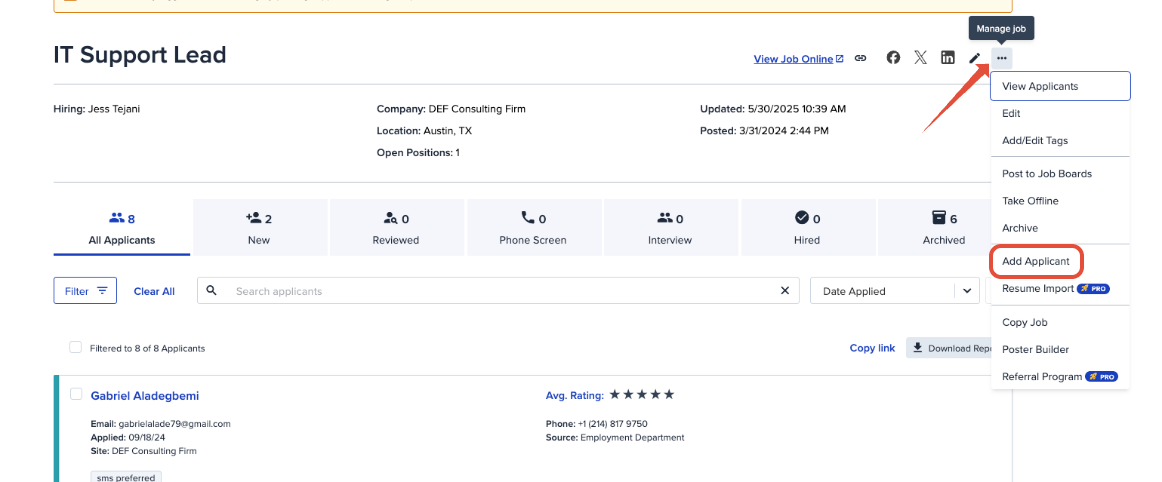
- Use the Manage dropdown and select Add Applicant.
- Follow the same steps as above: enter the applicant's information, choose their Contact Preference, and click Save.
You're all set
Your new applicant is now sitting in the pipeline for that job, right alongside everyone who applied the traditional way.
Adding applicants manually is a handy shortcut for referrals, career fair connections, or anyone you want to keep track of before they've formally applied. If anything doesn't look quite right, our support team is happy to help. Reach out any time.
