
Ever wish applicants could sort through your job postings the way they sort through a menu — appetizers, mains, desserts, "the perfect fit for me"? That's basically what Categories do. Assign a Category to each job, and applicants can filter your listings to find roles that actually match what they're good at (and what they enjoy doing). Less scrolling for them, more qualified applicants for you. Everybody wins.
Here's how to set it up.
Step 1: Add Your List of Categories
First, you'll create the master list of categories your organization wants to use — think "Faculty," "Staff," "Student," or whatever fits your teams.
- From your Dashboard, click the Menu in the top right corner, then select Account > Account Details. (Note: you'll need the appropriate access level to view this page — if you don't see it, check with your admin.)
- On the Account Details page, find the Customize & Design section and click Careers Page.
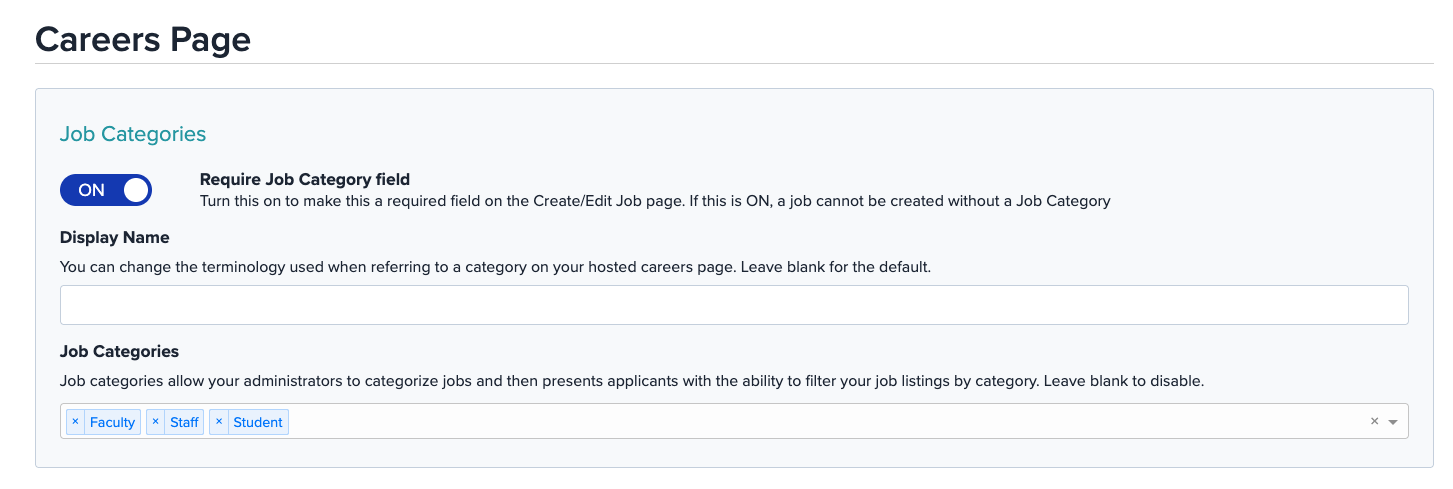
- Scroll down to Job Categories and start typing in the categories you want to add, hitting Enter or Return after each one. Add as many as you need.
- While you're on this page, look for the Require Job Category field toggle and switch it ON. This step is easy to miss, but it's the one that actually makes the Category dropdown appear on your ATS-Hosted Career Page — without it, applicants won't see a way to filter by category at all, even if you've assigned them to your jobs.
 Step 2: Assign Categories to a Job
With your categories set up, it's time to put them to work on your job postings.
- Head back to your Dashboard.
- Find the job you want to categorize, click the drop-down menu next to its title, and select Edit Job.
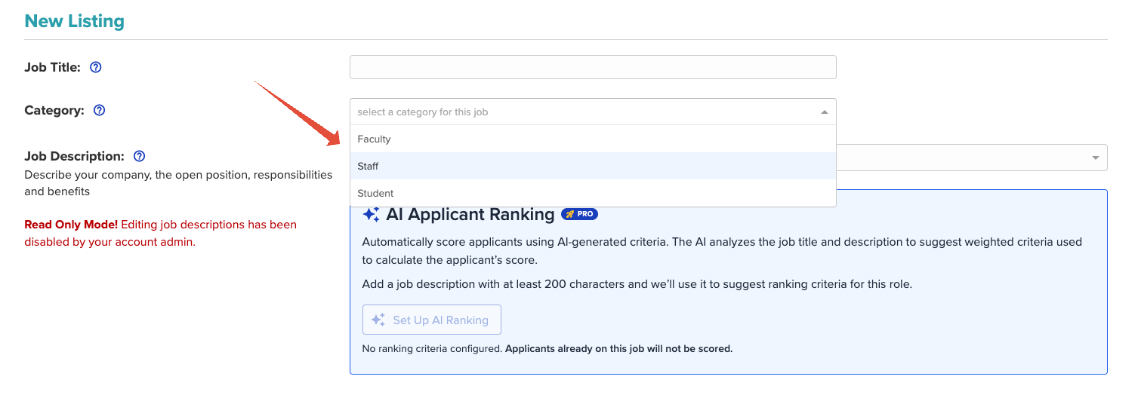
- On the Edit Job page, look for the Category box, click the drop-down arrow, and choose one of the categories you set up in Step 1.
- Scroll down and click Publish and Continue. That's it — your job is now categorized.
Repeat this for any job you'd like to assign a category to.
Why This Is Worth Doing
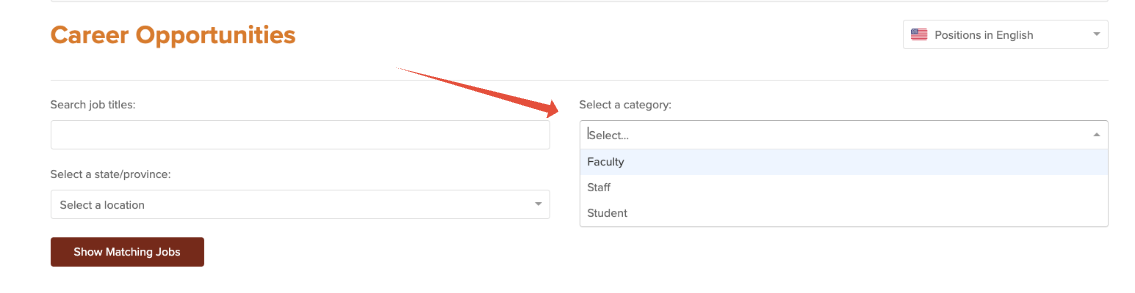
Once categories are assigned and the Require Job Category field toggle is on, candidates can filter your job listings by Category right from your Career Page. That means a more focused job search for them, and a more efficient path to the right candidate for you.
Happy categorizing! And if anything doesn't go quite as planned, our support team is always happy to help — just reach out and we'll get you sorted.
